VMware Data Recovery works with entire virtual machines, backing them up and restoring them in their entirety. These backup and restore operations are conducted using a backup appliance which stores the virtual machines to a location called the deduplication store. The virtual machines that are backed up are stored in a form that can be read by solutions such as Data Recovery, but the contents of these virtual machine backups are not otherwise easily readable. For example, the contents of the virtual machine backups in the deduplication store are not readable by users browsing through files using their operating system. There is no convenient mount point that can be used by operating systems like Windows to read the contents of these backups. Users may want to restore a previous version of a single file. Perhaps the file has been deleted or information from a previous version is required. In such a case, users can restore an entire previous version of the virtual machine that contained the file, but this may be cumbersome. Rolling back to previous versions may overwrite the existing virtual machine and even if the restored virtual machine is restored to an alternate location, the process may not be as fast as customers want. FLR addresses these issues by providing a way to access individual files within a restore point. With this access, you can choose to read copies of the files or restore them from within restore points to any other available location. For example, you could create two copies of the file in question to compare them, or you could overwrite an existing file with an older version contained within the restore point, thereby reverting to a previous version. Note that accessing these files only provides a way to read their contents. You cannot write to files that are made available in restore points through FLR.
Using FLR
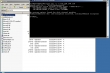 When using FLR, users primarily select one of the provided restore points for the current virtual machine and then unmount the restore point when finished. FLR connections must be established using an IP address. FLR does not support using name resolution services such as DNS for establishing connections.
vcdrfilerestore -a <VCDR ip/dns> [-l] [-v]

usage: VMware Data Recovery File Restore Client <Options>
            :   --help     | -h                             Display usage instructions and version
Required    :
            :   --address  | -a <vcdr ip/dns>               IP/DNS of VCDR appliance
Optional    :
            :   --verbose  | -v                             Enable verbose logging
            :   --latest   | -l                             Mount most recent restore point
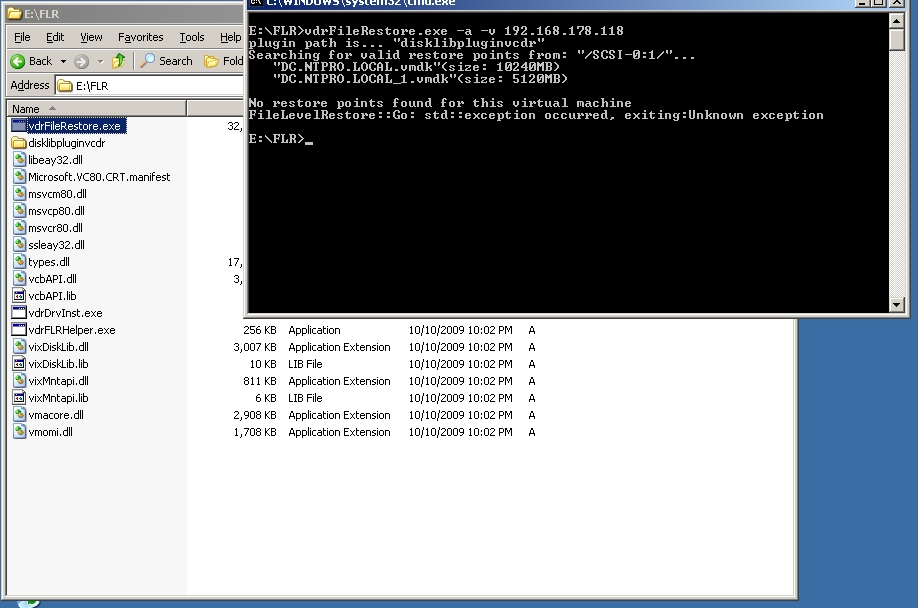
After creating multiple back-ups I couldn’t get it to work:
C:\Users\Eric Sloof\Desktop\FileRestore>vdrFileRestore.exe -a -v 192.168.178.118
Failed to acquire service manager, error: 5
plugin path is... "disklibpluginvcdr"
Searching for valid restore points from: "/SCSI-0:1/"...
"DC.NTPRO.LOCAL.vmdk"(size: 10240MB)
"DC.NTPRO.LOCAL_1.vmdk"(size: 5120MB)
Searching for valid restore points from: "/192.168.178.80/public/"...
No restore points found for this virtual machine
FileLevelRestore::Go: std::exception occurred, exiting:Unknown exception
The error is fixed :-) File Level Restore with VMware Data Recovery 1.0 revisited
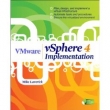 The VMware vSphere 4 Implementation book is written by fellow VMware vExpert and VCI Mike Laverick, this is an in-depth implementation guide to VMware's new suite of virtualization technologies, vSphere4. The book provides best practices for deploying the vSphere product in real-world enterprise environments. You will get insider tips for planning, designing, implementing, and securing a virtual infrastructure and automating tasks and procedures.
 The Dutch VMUG conference will take place at the
 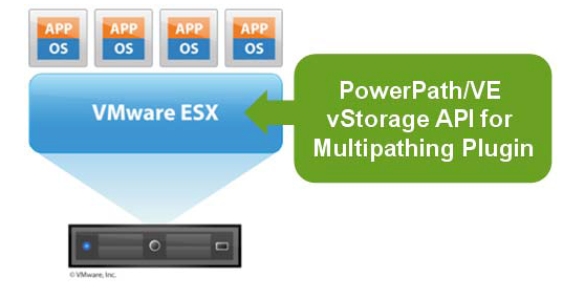 In prior versions of ESX the Native Multi Pathing “NMP” plug-in was available for balancing the storage load over different Fiber Channel HBA’s and storage paths to your storage array(s). Beside that it’s not really “Multi Pathing” it had another major disadvantage of being able to stress your storage array in such a way it could crash. (Yes.. we know how it works and yes… we succeeded in this). This crashing didn’t had much to do with ESX but more with how the storage arrays handle the different request coming in from the FA port and distributing the load across the storage processors inside the box.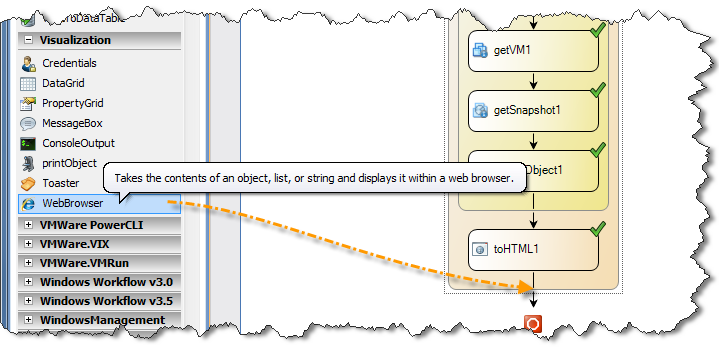
 Scott Herold is happy to announce that the 1.2 version of Virtualization EcoShell is officially available for download at