This video covers how to use the Horizon Module with VMware PowerCLI.
Tuesday, February 28. 2017
Video - How to use Horizon Module with PowerCLI
Sunday, February 26. 2017
Video: vROps is Easy - Creating Dashboards
New Technical White Paper - Office 365 in VMware Horizon 7 with Published Applications
Thursday, February 23. 2017
New Fling - IOInsight
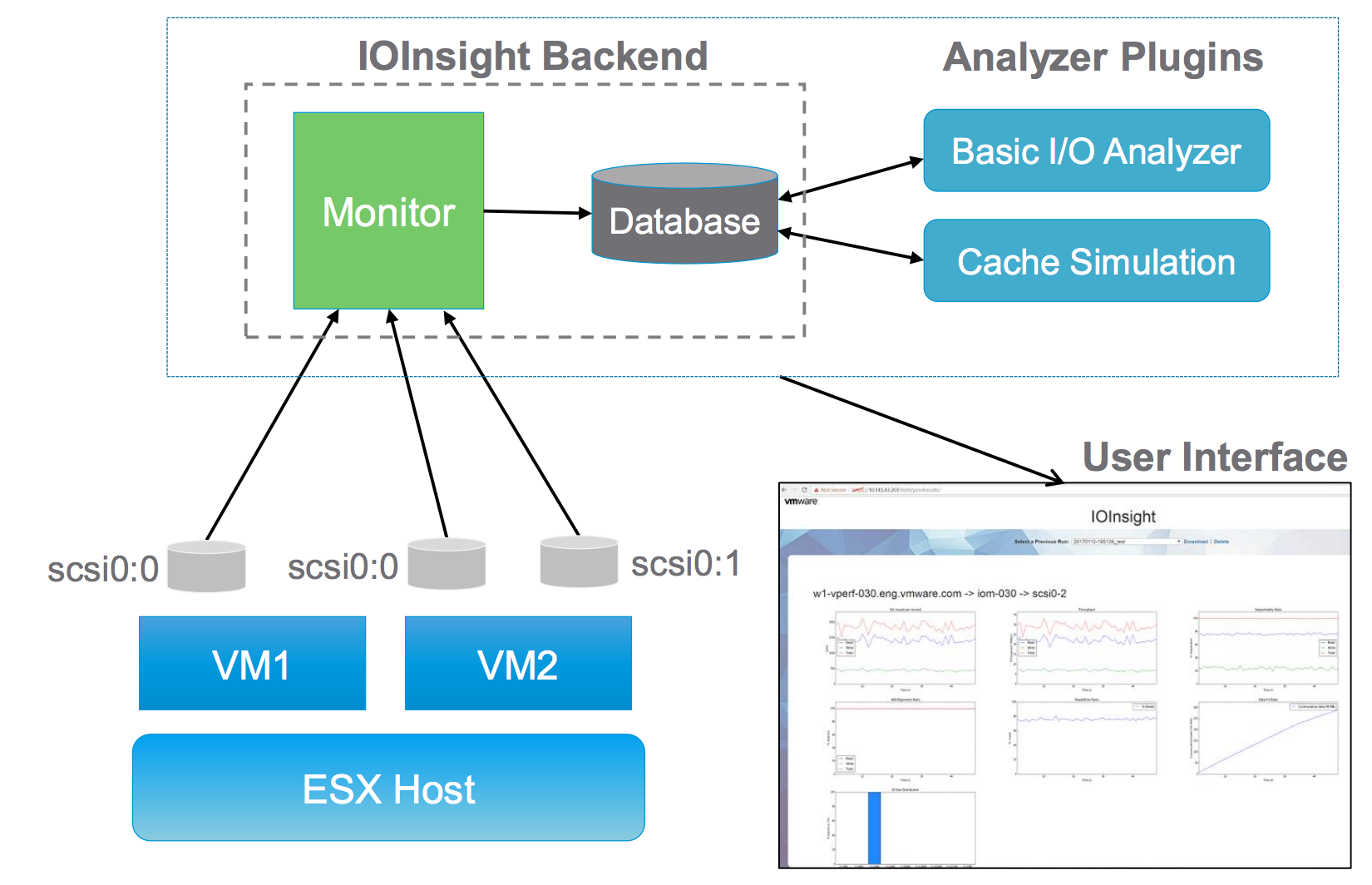
IOInsight is a tool to help people understand a VM's storage I/O behaviour. By understanding their VM's I/O characteristics, customers can make better decisions at storage capacity planning and performance tuning.
IOInsight ships as a virtual appliance that can be deployed in any vSphere environment and an intuitive web-based UI allows users to choose VMDKs to monitor and view results.
- When contacting VMware Support for any vSphere storage issues, including a report from IOInsight can help VMware Support better understand the issues and can potentially lead to faster resolutions.
- VMware Engineering can optimize products with better understanding of various customers' application behavior.
IOInsight captures I/O traces from ESXi and generates various aggregated metrics that represent the I/O behavior. The IOInsight report contains only these aggregated metrics and there is no sensitive information about the application itself.
In addition to the built-in metrics computed by IOInsight, users can also write new analyzer plugins to IOInsight and visualize the results. A comprehensive SDK and development guide is included in the download bundle.
Download IOInsight
Wednesday, February 22. 2017
New Fling - Cluster Rules Manager (CRM)
The Cluster Rules Manager (CRM) can be operationally challenging to maintain vSphere DRS rules. Cluster Rules Manager (CRM) is a web application which enables users to easily manage & report DRS rules.
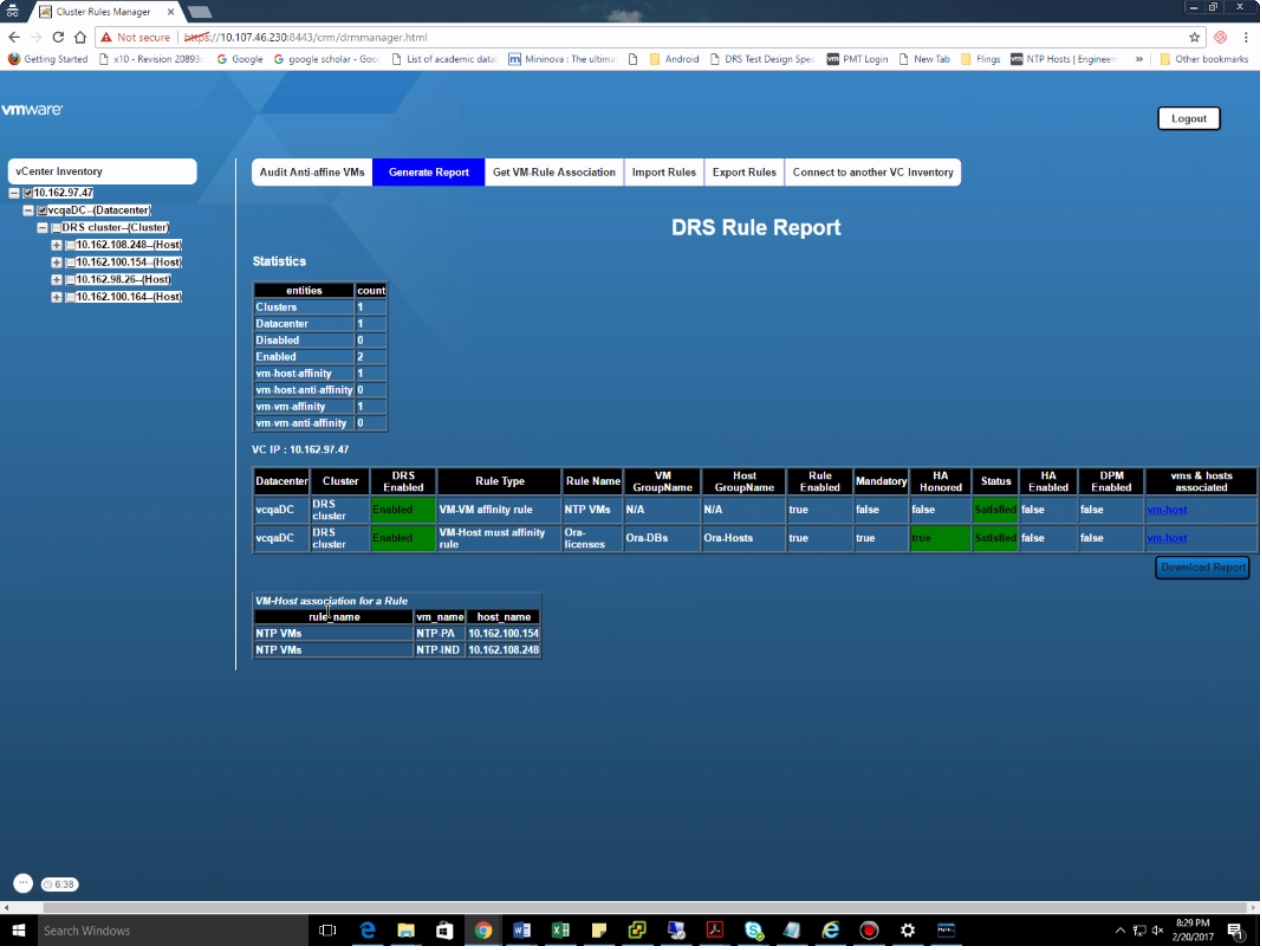
- Auditing anti-affinity across VMs in a vCenter Server.
- Importing DRS affinity rules from multiple vCenter servers.
- Exporting DRS affinity rules to new vCenter from the vCenter for which DRS rules are already imported.
- Real time complete DRS rule report containing various metrics. User has flexibility to generate this report on entire vCenter or datacenter (s) or cluster(s) level. This report cannot be generated on ESXi host and VM level. This report can be downloaded.
- Real time VM-Rule association report. Here, the VM will be the focal point and the report will give all the associated rules with that VM. The rule status User has flexibility to generate this report on all the levels, entire vCenter or datacenter (s) or cluster(s) or host (s) or VM(s) level. This report can be downloaded.
- Ability to connect other vCenter from UI.
Wednesday, February 15. 2017
Free e-learning course - VMware Cloud Foundation Fundamentals
VMware UEM 9.1.x Deploy and Configure
Monday, February 13. 2017
NSX Application Rule Manager - Simplifying Microsegmentation
(Page 1 of 2, totaling 14 entries)